Free YouTube Podcast Summarizer
Summarizer.tube turns any YouTube podcast into a paragraph summary plus bulleted key points with clickable timestamps — in about 30 seconds, free, no signup. Paste the YouTube URL of the episode (or open the video and use our free Chrome extension) and the AI extracts the transcript, identifies the main arguments across the conversation, and pulls out the 8–12 most important takeaways. Click any timestamp to jump straight to that moment in the YouTube player.
This works on every major YouTube podcast: Lex Fridman, Joe Rogan, The Diary of a CEO, Huberman Lab, Modern Wisdom, Tim Ferriss, Theo Von — any podcast that publishes its full episodes on YouTube. There's no length limit; we routinely process 2–3 hour conversations in one pass.
Why podcasts need different summarization
A typical YouTube tutorial is 8–15 minutes. A typical YouTube podcast is 90 minutes to 3 hours. The information density per minute is often lower — podcasts include greetings, sponsor breaks, conversational tangents, and recap loops. The signal is there, but surrounded by structure that makes scanning the transcript by hand impractical.
Summarizer.tube is built around three things podcasts specifically need: long-context AI models that handle 50,000+ word transcripts in one pass, timestamp anchoring so each key point links back to where it was actually said, and a chat feature that lets you query the full transcript afterward (“list every book they mentioned”, “what did the guest say about meditation?”). This converts a 3-hour episode into 30 seconds of triage plus optional deep dives on the parts that interest you.
The trade-off: we work from the caption track only. Auto-generated captions on technical podcasts (Huberman Lab on neuroscience, for example) occasionally mistranscribe specialist terminology, and the summary inherits those errors. For high-accuracy work, prefer episodes with manually uploaded captions — large podcasts increasingly publish them.
Recent podcast summaries from our archive
Real examples of podcast episodes we've summarized for other users. Each links to the full summary with timestamps:
 6 min
6 minGSP teaches Lex Fridman how to street fight
Georges St-Pierre shares essential self-defense tactics for street fights, emphasizing the critical role of surprise, striking vulnerable points, and strategic responses to various threats, including
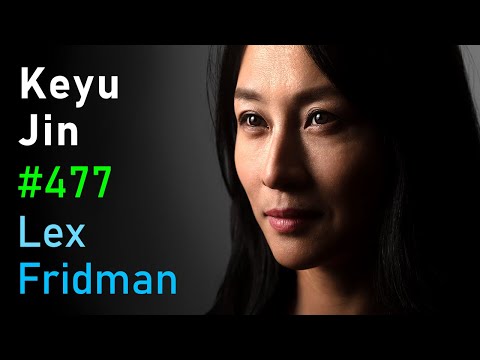 1 hr 49 min
GSP teaches Lex Fridman how to street fight
Keyu Jin dispels common Western misconceptions about China's economy, revealing it as a complex, decentralized system driven by a unique blend of fierce capitalism and a socialist social fabric, profo
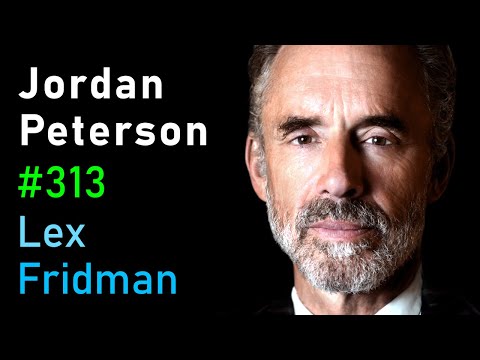 3 hr 3 min
Jordan Peterson: Life, Death, Power, Fame, and Meaning | Lex Fridman Podcast #313
Jordan Peterson and Lex Fridman engage in a deep philosophical discussion exploring the nature of beauty, the divine, the role of faith, the ethics of technology, and the importance of voluntary suffe
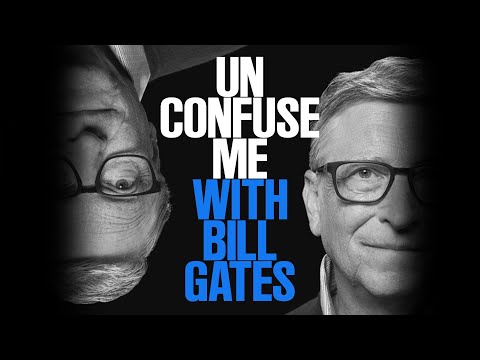 1 min
1 minUnconfuse Me with Bill Gates | Podcast Trailer
This video introduces the concept of "getting un-confused" as a learning strategy, emphasizing the value of embracing initial confusion to achieve deeper understanding across diverse topics, from scie
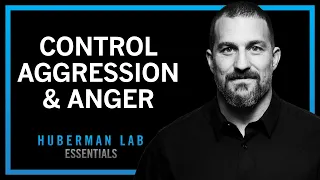 33 min
Understanding & Controlling Aggression | Huberman Lab Essentials
Andrew Huberman explains the biological underpinnings of aggression, differentiating its types and mechanisms, highlighting the role of the ventromedial hypothalamus and estrogen, and offering science
 1 hr 2 min
Greg Finck - Love Light Fine Art Photography Podcast
The video features an interview with renowned wedding photographer Greg Fig, who discusses his journey, approach to photography, and his upcoming workshop in Paris.
Browse all summaries in the public archive — thousands of videos across every topic.
Five common ways to use a YouTube podcast summarizer
1. Triage your subscription queue. If you subscribe to ten podcasts that publish 2-hour episodes weekly, that's 20 hours of audio to keep up with. Summarize each new episode first, then listen in full only to the ones that earn the time investment. Most heavy podcast listeners report this single habit saves 5+ hours per week.
2. Research mode for content creators. If you're writing a piece about productivity, longevity, or any topic with active podcast coverage, summarize 5–10 relevant episodes to understand what's been said before committing to citations. The chat feature is especially useful here — ask the AI to compare perspectives across episodes.
3. Learning frameworks without the listening cost. Many podcasts feature guests presenting structured frameworks (Ferriss routinely interviews authors, Huberman explains research protocols). The summary captures the framework cleanly. You can study the structure in 5 minutes and decide whether the deeper conversation merits the full 2-hour investment.
4. Checking citations and references. Podcasts often mention books, papers, studies, and other works. Use the chat feature to extract: “list every book or paper mentioned in this episode with timestamps”. You get a reference list in 10 seconds that would take 20 minutes of manual transcript scanning.
5. Sharing key moments without sharing 2 hours. The clickable timestamps make it easy to share a specific moment from a long podcast. Get a summary, find the relevant key point, share that one timestamp link rather than asking someone to listen to the full episode.
The two-step workflow most users land on
After enough use, regular podcast listeners converge on a hybrid pattern. Step one: when a new episode drops, paste the URL into Summarizer.tube and read the summary in 30 seconds. Step two: based on the summary, decide one of three things — (a) skip the episode entirely (the summary covered everything you needed), (b) jump to 2-3 specific timestamps that interest you, (c) listen end-to-end at 1.25x speed because the conversation rewards full attention.
This routes attention based on actual content rather than guesswork from titles and thumbnails. A podcast titled “Why I Quit Caffeine” might be a 90-minute meandering conversation with one 10-minute substantive segment — and you would only know that after listening. The summary tells you in 30 seconds.
For deep work on a specific guest or topic, layer in the chat feature. After summarizing, ask the AI to extract every reference, every framework, every book mentioned. You end up with a structured note that's genuinely useful for research, in roughly the time it takes to make coffee.
Where podcast summarization falls short
We document this honestly because every other summarizer pretends to work perfectly and that's why people stop trusting them.
- Speaker attribution is implicit. The caption track doesn't include speaker labels. The AI infers from context who said what, but on podcasts with three or more speakers, attribution can blur. For interviews where exact attribution matters, listen to the relevant timestamp afterward.
- Tone and emphasis are lost. A podcast where a guest delivers a punchline with timing or sarcasm reads flat in summary form. The information is captured; the comedy isn't.
- Visual demonstrations don't reach the AI. If the host shows something on screen during a YouTube podcast, that moment becomes a transcript gap. The summary will skip what the visual conveyed.
- 5+ hour episodes get trimmed. AI context windows are large but finite. On extreme-length episodes the transcript is truncated to fit, and the tail of the conversation may be underrepresented in the summary. For these, summarize halves separately.
- Audio-only podcasts (Spotify-exclusive, Apple Podcasts only) cannot be processed. We need a YouTube URL with captions. Most major podcasts publish on YouTube too — check the podcast's YouTube channel.
Frequently asked questions about podcast summarization
Can I summarize 3-hour podcast episodes like Lex Fridman or Joe Rogan?
Yes. There is no hard length limit — Summarizer.tube handles 2-3 hour podcast episodes without splitting them. Very long episodes (5+ hours) may have their transcript trimmed to fit AI context limits, but the summary still covers the main arguments and key takeaways. For maximum coverage on extreme-length episodes, summarize the first half and the second half separately.
Does the summarizer separate the host from the guest?
Indirectly. We work from the YouTube caption track, which doesn't include speaker labels. The AI infers from context who is making which argument and credits ideas appropriately in the summary. For podcasts where attribution matters (e.g. research interviews), use the chat feature to ask 'who said X?' and the AI will reference the transcript context.
How accurate is the summary for technical or scientific podcasts?
The AI captures the main arguments well for podcasts with clear narrative flow. Technical accuracy depends on the caption quality — auto-generated captions on technical content (Huberman Lab on neuroscience, for example) sometimes mistranscribe specialist terminology. For maximum accuracy on technical podcasts, prefer episodes with manually uploaded captions.
Can I get timestamps for specific topics in a podcast?
Yes. Every key point in our summary has a clickable timestamp that jumps directly to that moment in the YouTube player. So instead of scrubbing through 2 hours to find where they discussed a specific framework, you click the timestamp and you're there.
Is this a podcast app or just a YouTube tool?
Just a YouTube tool. Summarizer.tube works with any YouTube video, including the YouTube versions of podcasts. If a podcast publishes only on Spotify or Apple Podcasts and not YouTube, we cannot summarize it. Most major podcasts do publish on YouTube — Lex Fridman, Joe Rogan, Huberman Lab, Tim Ferriss, Diary of a CEO all post full episodes there.
Does the chat feature work for long podcast episodes?
Yes, and it's especially useful for podcasts. After summarizing, you can ask things like 'what did the guest say about [topic]?', 'list every framework they mentioned', or 'compare the two perspectives in the conversation'. The AI uses the full transcript so answers stay grounded in what was actually said.
How is this different from listening at 2x speed?
Listening at 2x still requires you to allocate the full duration of attention. A summary lets you triage — read 30 seconds of key points, decide whether the episode deserves a full listen at any speed. For podcasts that turn out to be off-topic or filler-heavy, this saves the most time. For ones that earn it, you can listen knowing what to focus on.
Can I summarize private or unlisted YouTube podcasts?
No. Summarizer.tube reads the public caption track, which is only available for public videos. Private and unlisted YouTube videos can't be processed.
Try it on the next podcast you were going to listen to.
Summarize a YouTube podcast →Other ways to summarize YouTube
YouTube Video Summarizer
The pillar guide to summarizing any YouTube video, with full feature list and detailed how-it-works.
YouTube Lecture Summarizer
For online courses, MIT OCW, Khan Academy, university lecture recordings — turn lectures into study notes.
YouTube Shorts Summarizer
Quick summaries of short-form YouTube content. When it's worth summarizing a 60-second video.
For Professionals
Industry-specific use cases for professionals tracking conferences, webinars, and industry talks.
Related
Want the whole video summarized?
Our main tool reads any YouTube video with AI and returns the key points with clickable timestamps. Paste a link here — free, 5 a day, no signup to try.