Free YouTube Lecture Summarizer
Summarizer.tube turns any YouTube lecture into structured study notes — a paragraph summary plus bulleted key points with clickable timestamps — in about 30 seconds, free, no signup. Paste the YouTube URL of a lecture (or open the video and use our free Chrome extension) and the AI extracts the transcript, identifies the lecture's main thesis and supporting concepts, and produces 8–15 key points ordered by where they appear in the video.
This works for MIT OpenCourseWare, Khan Academy, Crash Course, 3Blue1Brown, university recorded classes, recorded online courses, and any educational YouTube content with captions. There's no length limit; we routinely process 90-minute lectures in one pass and also support shorter 10-minute educational explainers.
Why lectures need different summarization than other YouTube content
Educational content is dense by design. A 50-minute lecture might introduce 6–10 distinct concepts, present supporting evidence for each, and weave them into a structured argument. The summarizer needs to preserve that structure — not just list the highlights but represent the relationships between concepts the way the lecturer intended.
Summarizer.tube uses long-context AI models that hold the full transcript at once and can identify the lecture's structural hierarchy. The output isn't a flat bullet list — it's ordered by the lecture's own progression, with timestamps anchoring each key point to the moment the lecturer stated it. That means you can use the summary as a structured outline of the lecture itself, jump to specific moments to hear them in detail, and re-watch selectively rather than linearly.
The trade-off: visual content doesn't reach the AI. If the lecturer demonstrates a process on a whiteboard, runs code on screen, or shows a diagram, the summary will reference that moment generally but won't reproduce the visual. For demonstration-heavy lectures, use the summary to find the right timestamps and watch those visually-rich moments yourself.
Recent lecture summaries from our archive
Real examples of educational content we've summarized for students. Each links to the full summary with timestamps:
 16 min
What ACTUALLY Makes People Buy Things (Pricing Psychology Explained)
This video delves into the psychology of consumer purchasing, explaining how pricing strategies, product mix development, and data-driven customer personas can be leveraged with modern tools to create
 1 hr 1 min
Free Influencer Marketing Agency Course 2026
This video provides a comprehensive guide on how to start and scale an influencer marketing agency, covering everything from niche selection and brand outreach to campaign management and scaling strat
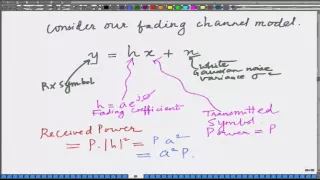 22 min
Lecture 10: Deep Fade Analysis of Wireless Communication
This module intuitively explains that the poor bit error rate performance of wireless communication systems, compared to wireline systems, is primarily caused by deep fade events in the fading wireles
 19 min
Lecture 09: Exact BER Expression for Rayleigh Fading Wireless Channel
This module provides a detailed derivation and evaluation of the exact bit error rate (BER) expression for a wireless communication system, specifically for BPSK modulation in a Rayleigh fading channe
 50s
50sSimple as that, drop an “amen” if u agree🙏 #christianshorts #2819church #philipanthonymitchell
The video refutes the Big Bang Theory by highlighting the existence of planets spinning in opposite directions, which contradicts the idea of an explosion from a single swirling dot, and instead propo
 1 hr 38 min
Excel Beginner Tutorial
This introductory training provides a comprehensive overview of Excel 365, covering its interface, data entry, formulas, functions, formatting, collaboration features, and printing options for effecti
Browse the full summary archive — thousands of summaries across every topic.
Five common ways students use a lecture summarizer
1. Pre-class preview. Summarize the assigned lecture before attending or watching it. You arrive primed: you know the main argument, you know the key terms that will be defined, you can listen for nuance instead of struggling to track the structure. Many students report this single change improves comprehension significantly with almost no extra time investment.
2. Exam-week revision. A typical undergraduate course generates 20–30 hours of lecture video over a semester. Watching it all again before an exam is impossible. Summaries let you rebuild a mental model of the entire course in 1–2 hours of reading. Then re-watch only the lectures where the summary made you uncertain.
3. Filling gaps after missed classes. When you miss a lecture, the recording is your safety net — but watching a 90-minute lecture you didn't prepare for is harder than the live one was. Summarize first, decide which 20-30 minutes you actually need to watch in full, skip the rest at 1.5x.
4. Research and literature work. Many academic talks, thesis defenses, and conference recordings are on YouTube. Summarizing them is a fast way to triage relevance to your research project before committing to a full watch — especially for talks where the abstract is sparse.
5. Reverse-engineering teaching style. If you teach (or plan to), summarize lectures from teachers you admire to study their structure. The summary shows you exactly how they organize concepts, what scaffolding they use, what order they introduce ideas — clearer than passive watching.
The summary-to-study-notes workflow
A surprisingly effective pattern for converting lectures into long-term study notes: summarize first, then watch with the summary as your scaffold. Step one: paste the lecture URL into Summarizer.tube and read the AI summary. Step two: open the video in a separate window. Step three: as you watch (at 1.5x speed if comfortable), add your own annotations to the summary — specifically the things the AI summary made you curious about, contradicted your prior understanding, or you disagreed with.
This produces notes that are: (a) structurally complete because they inherit the AI's organization, (b) personally meaningful because the additions are your own observations, and (c) faster to write because you're editing rather than transcribing. Most students report this method takes 60–70% of the time of pure manual note-taking, with better retention because the act of editing forces active engagement with the material.
For exam preparation, layer in the chat feature. Ask the AI to quiz you on the lecture content, generate flashcards from the key points, or compare two related lectures side-by-side. These are use cases the summary itself can't do but become natural with the chat follow-up.
Where lecture summarization falls short
The tool is a study aid, not a replacement for studying. Specific failure modes you should know about:
- Mathematical and chemical notation isn't rendered. The transcript captures spoken descriptions (“the integral from zero to one”) but not LaTeX. For STEM subjects with heavy formula content, the summary helps you navigate but you still need to look at the visual.
- Auto-captions on technical lectures degrade. Specialized terminology gets misrecognized in auto-generated captions. The summary inherits those errors. Manually uploaded captions (which most major educational channels now provide) avoid this.
- Demonstrations and diagrams are skipped. If a lecturer demonstrates code execution, runs a simulation, or draws on a whiteboard for several minutes, those moments are transcript gaps and the summary will under-represent them.
- The AI doesn't fact-check. If the lecturer states something incorrect, the summary repeats it confidently. For cutting-edge or contested material, treat the summary as a record of what was said, not as a verified source.
- Group discussions and Q&A sessions can confuse speaker attribution. Lectures with extended student Q&A can produce summaries where it's ambiguous whether a claim came from the lecturer or a student. For high-attribution work, listen to the relevant timestamp.
Frequently asked questions about lecture summarization
Will the summary capture mathematical formulas and equations?
Partially. The transcript captures spoken descriptions of equations (e.g. 'the integral of x squared'), but doesn't render LaTeX or mathematical notation. For lecture videos heavy on whiteboard equations or screen-shared notation (3Blue1Brown, MIT OCW math), the summary covers the conceptual flow but you'll still need to refer back to the visual moments at the timestamps for the exact equations.
Can I summarize a full semester of lectures?
Yes — one lecture at a time. Paste each lecture URL individually; processing takes about 30 seconds per video. For a typical 13-week course with 26 lectures, that's about 13 minutes of total processing time to produce summaries for an entire semester. Free tier allows 5 per day, so a full semester takes roughly a week on the free plan, or under an hour on Pro (100/day).
Are the summaries accurate enough for exam preparation?
They're accurate for capturing main concepts, definitions, and the structure of arguments — the things most exams test. They are NOT a replacement for working through the material yourself. Best practice: use the summary as your study skeleton, then watch the lecture at 1.5x speed with the summary as your guide, taking your own notes on the parts the AI summary made you curious about.
Does this work for non-English lectures?
Yes. Summarizer.tube works with any language YouTube has captions for. We've successfully processed lectures in Spanish, French, German, Russian, Japanese, Korean, Chinese, and many others. Auto-generated captions on non-English content vary in quality — for high-stakes work, prefer lectures with manually uploaded captions.
Can I export the summary to my note-taking app?
Yes. Every summary has a copy-friendly format that pastes cleanly into Notion, Obsidian, Apple Notes, Google Docs, OneNote, and other plain-text or markdown editors. Bullet-point key points map to bullet lists; the paragraph summary becomes a paragraph; timestamps remain as text references that you can hyperlink manually if your tool supports it.
Will the chat feature help me prepare for an exam?
Yes — especially for self-quizzing. After summarizing a lecture, ask the chat: 'quiz me on this material', 'list every term defined in this lecture', or 'what are three questions an exam might ask about this content?'. The AI uses the full transcript to generate study questions, which doubles as effective revision practice.
Does the summarizer recognize academic citations?
If the lecturer states a citation aloud (e.g. 'as Smith and colleagues showed in 2018'), it's captured in the transcript and may appear in the summary or be retrievable via chat. Citations shown only on a slide are not captured — we work from text only. For coursework that requires precise citations, treat the summary as a finding-aid, not a final source.
Is it suitable for language learning?
Yes. Many language learners summarize a video in the target language to get an overview, then watch the original to train listening comprehension with full context. The chat feature is also useful for asking about specific vocabulary or idioms encountered in the lecture.
Try it on the next lecture you need to study.
Summarize a YouTube lecture →Other ways to summarize YouTube
YouTube Video Summarizer
The pillar guide to summarizing any YouTube video, with full feature list and how-it-works walkthrough.
YouTube Podcast Summarizer
For long-form conversations: Lex Fridman, Joe Rogan, Huberman Lab, Tim Ferriss, and more.
YouTube Shorts Summarizer
Quick summaries of short-form YouTube content. When it's worth summarizing a 60-second video.
Use Cases for Students
Specific student workflows: exam prep, course review, language learning, research.
Related
Want the whole video summarized?
Our main tool reads any YouTube video with AI and returns the key points with clickable timestamps. Paste a link here — free, 5 a day, no signup to try.