How to Do the Suitu ~Clothes-less Glitch~
This is an AI-generated summary of “How to Do the Suitu ~Clothes-less Glitch~” — a 5 min YouTube video by PineandEclipse, published February 3, 2025. It condenses the full transcript into 10 key takeaways with clickable timestamps.
Summary
This video provides a detailed, step-by-step tutorial on how to perform a specific "clothes glitch" within a game to create a nude, headless model for posts, allowing for the addition of hair and accessories but not clothing.
Key Points
- Begin by creating and saving a very cheap, free DIY makeup item.
- Navigate to your profile settings, personal information, and set the newly created DIY makeup as your default face.
- Start a new post, then select the specific DIY makeup you intend to use for the nude model in the post.
- Put on a top and bottom, save this outfit to a designated slot, then trash it, and subsequently load and save it twice more in the exact same slot.
- Exit the decoration area, start another new post, switch to the mask model, then the fem model within DIY creation, and delete the initial free makeup.
- Repeatedly switch between the mask and fem models until a completely blank screen appears, then select your default skin tone.
- Select a "shop face" twice until the head disappears, put on any dress (excluding those with poses), and then re-select the shop face.
- Perform the "undo" action exactly four times to achieve a nude, headless model, then put on a shirt, take it off, put it on again, and undo three times.
- Load the previously saved outfit, click undo, and then select a desired pose for the now nude model without hair.
- Access the "wearing" section, click on your default skin, and press undo again to enable adding hair and accessories, while restricting clothing items like coats, tops, dresses, or bottoms.
Summarize any YouTube video, free
You just read an AI summary of this video. Paste any other YouTube link and get the key points with clickable timestamps in seconds — no signup, 5 free a day.
More Resources
More Summaries
 10 min
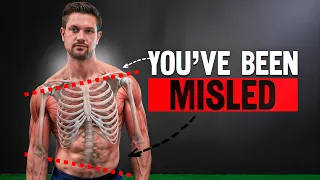
You’ve Been Told to Fix Your Imbalanced Posture Wrong
This video challenges the common assumption that everyone needs to shift left to correct right-dominant postural imbalances, arguing that many individuals have overcompensated and actually need to re-
 1 hr 23 min
If You Hack The Code Of Reality, You Become God | Dr Melvin Vopson
The video explores the theory that the universe is a computational construct, proposing information as the fifth state of matter and suggesting that scientific discoveries, including the successful si
 11 min
Real Estate For Beginners
This video provides a foundational understanding of essential real estate vocabulary and principles for beginners, aiming to equip them with the knowledge to successfully navigate and profit from real
 23 min
Watch This Before You Buy a Triumph Speed Twin
This video provides a comprehensive review of the Triumph Speed Twin after 5,000 miles, highlighting its successful blend of modern classic aesthetics with powerful performance, agile handling, and su
 1 hr 8 min
MONEY EXPERT: How To Think Like The 1%
This video features former investment banker Nisha Sha, who shares insights on achieving financial freedom and happiness by prioritizing money management, intentional spending, and investing over simp