Samsung Galaxy S26 Ultra - TIPS, TRICKS & HIDDEN FEATURES!
By Hayls World
This is an AI-generated summary of “Samsung Galaxy S26 Ultra - TIPS, TRICKS & HIDDEN FEATURES!” — a 16 min YouTube video by Hayls World, published March 25, 2026. It condenses the full transcript into 9 key takeaways with clickable timestamps.
Summary
This video provides a comprehensive guide to optimizing the Samsung S26 Ultra, showcasing new features and hidden tricks for privacy, camera functionality, AI-powered editing, customization, and overall device enhancement.
Key Points
- Users can now set Perplexity as their default long-press assistant, offering enhanced real-time research capabilities with a slick visual interface.
- The video camera features a "horizontal lock" that keeps footage perfectly level with the horizon, even with extreme phone rotation, and an upgraded scanner that intelligently removes fingers or folds from scanned documents.
- The gallery's new AI editing tools allow users to add or change elements in photos by text description, replace backgrounds, or seamlessly integrate subjects from other images.
- The S26 Ultra introduces a new privacy display feature, activated via the side button or quick settings, which can hide screen content from side viewers for specific apps, notifications, or pins.
- The quick settings panel has been massively updated, allowing users to resize, reposition, and reorient controls like volume and brightness, and includes hidden features like a Buds menu and an audio erase option for videos.
- Samsung's Good Lock app offers extensive customization, enabling users to create unique icon packs with various effects and personalize the keyboard with custom designs and two-finger gestures for actions like select all or copy.
- The phone app includes a new call screening feature that automatically answers unknown calls, interacts with the caller to determine their identity and purpose, and allows the user to decide whether to pick up.
- The S Pen's "Circle to Search" now provides intelligent search suggestions, and with Good Lock's Pentastic, users can customize the S Pen pointer with any image and add custom sound effects for removal and insertion.
- The S26 Ultra offers "dim strobing" for eye comfort during flashing content and a "theft protection" feature that automatically locks the phone if someone fails to open a locked app, sending a notification to the owner.
Summarize any YouTube video, free
You just read an AI summary of this video. Paste any other YouTube link and get the key points with clickable timestamps in seconds — no signup, 5 free a day.
More Resources
More Summaries
 37s
37s16 de maio de 2026
This video promotes an equipment-free, bodyweight abdominal workout designed to target all major core muscles, encouraging viewers to save it for future strength building.
 6 min
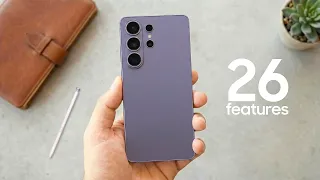
6 minSamsung Galaxy S26 Ultra - Top 26 Features
The Galaxy S26 Ultra introduces 26 new features, focusing on significant advancements in AI capabilities, display technology, camera performance, charging speeds, overall performance, and a refined de
 25s
25sIt held him against the wall.. 😳
The video features a brief scene set in a desert, where a person expresses concern and inquires about an unknown event that has seemingly affected someone.
 58 min
STRATEGY FOR CONSISTENCY(PROPHETIC CHARGE)Phil.3:13 ||COVENANT NATION||LAGOS-NIGERIA||APOSTLE SELMAN
This video outlines a "Strategy for Consistency" to achieve longevity of impact in all areas of life, emphasizing continuous progress, the dangers of dwelling on the past, and the importance of humili
 14 min
Top 10 Plyometric Exercises For Athletes
This video details 10 plyometric exercises and series, explaining how they enhance speed, explosiveness, and strength by developing impulse, coordination, and high-speed muscle recruitment, offering b