☀ HDMI трансляция с DJI FPV. И не только! [YStreamer]
By Anik FPV
This is an AI-generated summary of “☀ HDMI трансляция с DJI FPV. И не только! [YStreamer]” — a 16 min YouTube video by Anik FPV, published October 25, 2026. It condenses the full transcript into 9 key takeaways with clickable timestamps.
Summary
The video demonstrates building a low‑cost Raspberry Pi‑based streaming box for drone video, covering hardware assembly, software flashing, and operation via a web interface.
Key Points
- The creator explains the need for a DIY streaming solution because commercial boxes are expensive and phone RTSP servers have low bitrate.
- After wiring power, fan, and HDMI, the Pi boots, creates a Wi‑Fi hotspot (10.0.1.1) and serves a web UI for video streaming.
- Required components include the Pi, a fast USB flash drive, a 40×40 mm fan, heatsinks, a 3D‑printed case, and a USB‑C power source.
- The system supports various DJI goggles (Goggles 2, 3, Integra, N3, V1/V2) and can accept USB cameras or analog receivers via USB‑A.
- The open‑source streamer image is downloaded and flashed onto the flash drive using Raspberry Pi Imager with the custom option.
- A Raspberry Pi 4 is selected for its hardware H.264 acceleration and USB‑C power capability, and any RAM size (1 GB+) works.
- Power consumption is only 3‑5 W, so a small power bank can run the box for several hours, streaming up to 4K with ~0.5 s latency.
- The web UI allows multiple devices to connect, view the live feed, adjust bitrate, resolution, ISO, white balance, and toggle recording.
- The total build cost is about $80, offering a practical, reusable alternative for occasional drone‑streaming gigs.
Summarize any YouTube video, free
You just read an AI summary of this video. Paste any other YouTube link and get the key points with clickable timestamps in seconds — no signup, 5 free a day.
More Resources
More Summaries
 4 min
4 min7 Elements in 4 Minutes
This video outlines seven essential elements, as recommended by Joe Lambert, for creating more effective and engaging digital stories.
 14 min
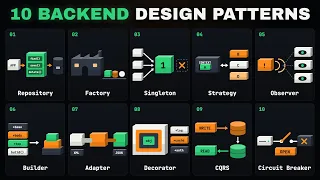
10 Backend Design Pattern Laws of Senior Engineers and Architects
This video introduces 10 essential back-end design patterns that help developers build more maintainable, scalable, and reliable applications by providing proven solutions to common architectural prob
 16 min
ASMR MUKBANG 불닭 버섯 불닭쌈 체다치즈 양념 치킨먹방! FRIED CHICKEN CHEESE FIRE NOODLES EATING SOUND!
This ASMR mukbang features a variety of Buldak noodles and ingredients prepared and eaten in creative ways, including wraps and seasoned dishes.
 1 hr 51 min
O Ponto De Mutação (filme 1990)
A retired politician and a physicist engage in a profound philosophical discussion about the limitations of mechanistic thinking, the interconnectedness of all systems, and the need for a new, ecologi
 10 min
كورس شامل لتعلم اللغة الانجليزية من الصفر للمبتدئين: كلمات المنزل والفصل : الحلقة 4
This video introduces basic English vocabulary for common household and classroom items, focusing on pronunciation and usage in simple sentences.