Indian Visa Appointment Booking Online | Step-by-Step IVACBD Portal Guide
By Indian Visa Application Center Bangladesh
This is an AI-generated summary of “Indian Visa Appointment Booking Online | Step-by-Step IVACBD Portal Guide” — a 4 min YouTube video by Indian Visa Application Center Bangladesh, published February 5, 2026. It condenses the full transcript into 10 key takeaways with clickable timestamps.
Summary
This video provides a step-by-step guide on how to book an Indian visa appointment online through the IVAC BD portal, emphasizing accurate data entry and timely actions.
Key Points
- Navigate to appointment.ivacbd.com and sign up using an email and phone number that exactly match your web file information.
- Verify your account using OTP codes sent via SMS and email, then enter your personal details and set a password.
- Complete the sign-up process before 5:30 p.m. to be eligible for appointment booking on the same day.
- Sign in to your account using your phone number and password, and complete OTP verification.
- Upload your primary applicant's web file and any additional web files (up to four total) to allow the system to extract and verify your data.
- Ensure all auto-filled details from the web file upload are accurate, as the primary web file cannot be re-uploaded.
- Select your preferred IVAC center and wait for the slot booking to open at exactly 6:00 p.m.
- Log in again at 6:00 p.m. sharp, complete OTP verification, select your preferred appointment time, and proceed to booking.
- Complete the payment for your visa appointment using your chosen method and download or print your invoice immediately.
- Visit the IVAC center with your downloaded invoice and your physical web file for your appointment.
Summarize any YouTube video, free
You just read an AI summary of this video. Paste any other YouTube link and get the key points with clickable timestamps in seconds — no signup, 5 free a day.
More Resources
More Summaries
 1 min
1 minPredator: Badlands (2025) | Weapon Grab Gone Wrong — Dek’s First Alien Fight ⚔️👽
This video is a placeholder with no discernible content.
 8 min
8 minHow To Get Hollow Cheeks FAST (Full Guide)
The video provides a straightforward guide on how to achieve hollow cheeks by focusing on three key areas: facial muscles, bone structure, and lymphatic drainage.
 7 hr 52 min
Day 1 | Generative AI Mastermind - 9th May'26
This video introduces the Generative AI Mastermind, outlining Outskill's vision to democratize AI education and detailing the program's structure, content, and the transformative potential of AI for i
 5 min
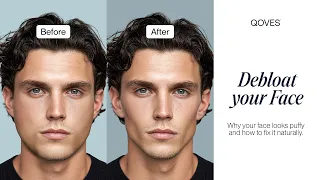
5 minFacial Bloating: Why Your Face Looks Puffy & How To Fix It!
This video explains that facial bloating is often caused by fluid retention and provides six scientifically proven steps to reduce it, focusing on diet, lymphatic system stimulation, sleep habits, and
 1 hr 1 min
Watch Me LIVE Show You How to Start Dropshipping in 2026 (FREE COURSE)
This video provides a comprehensive, step-by-step guide to building a complete dropshipping store from scratch, covering product research, store setup, and ad creation, with the goal of achieving the