How To Take Sharp iPhone Night Photos
This is an AI-generated summary of “How To Take Sharp iPhone Night Photos” — a 13 min YouTube video by iPhone Photography School, published September 15, 2021. It condenses the full transcript into 10 key takeaways with clickable timestamps.
Summary
This video provides comprehensive guidance on capturing high-quality night photos with an iPhone, covering techniques for older models without Night mode and demonstrating how to maximize the powerful new Night mode feature on the latest iPhones.
Key Points
- The iPhone 11 Pro and later models introduce Night mode, a revolutionary feature that enables capturing extraordinary, high-quality night photos even in near-complete darkness.
- To properly expose a scene, tap and hold on the brightest part of the subject to lock focus and exposure, then use the exposure slider to slightly darken the image for better detail and quality.
- Taking photos at night is challenging for iPhones due to small camera sensors that struggle to capture enough light, often resulting in blurry or underexposed images.
- Composing shots with attention to symmetry and framing, even when adjusting your position, helps create visually striking and balanced night photographs.
- When using Night mode, the iPhone automatically determines if it's needed, but users can manually force it on and select a longer exposure time using the moon icon and slider.
- Night mode is currently limited to the 1X wide-angle lens on the iPhone 11 Pro, meaning it cannot be used with the 0.5X ultra-wide or 2X telephoto lenses.
- For older iPhones without Night mode, successful night photography requires finding sufficiently illuminated subjects and manually adjusting exposure to prevent overexposure of bright areas.
- Regardless of Night mode availability, keeping the iPhone as steady as possible is crucial to avoid blurry photos, especially in low-light conditions, and taking multiple shots is recommended.
- Night mode is a game-changer for low-light photography, enabling iPhone users to capture incredible, detailed photos that were previously only possible with expensive DSLR cameras.
- Utilizing a tripod with Night mode significantly enhances stability and allows the iPhone to offer longer exposure times, leading to superior image quality with more light and detail.
Summarize any YouTube video, free
You just read an AI summary of this video. Paste any other YouTube link and get the key points with clickable timestamps in seconds — no signup, 5 free a day.
More Resources
More Summaries
 1 hr 59 min
The ONLY IELTS Reading Course You Need 2026
This comprehensive guide to IELTS reading provides band 9 strategies, tips, and a detailed walkthrough to help students understand the test format, improve reading skills, manage time effectively, and
 15 min
Dr Shashi Tharoor MP - Britain Does Owe Reparations
The speaker argues that Britain owes reparations to its former colonies, particularly India, for the immense economic exploitation, human suffering, and lasting damage inflicted during centuries of co
 24 min
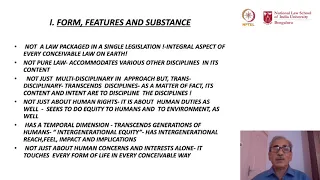
mod01lec01 - Introduction to Environmental Governance
This video introduces the unique, multidisciplinary, and evolving field of Environment and Natural Resources Law, exploring its foundational principles, global interconnectedness, and diverse interpre
 8 hr 43 min
9 HOURS Price Action COURSE! The ONLY Technical Analysis Video You Need (Beginner to Advanced PRO)
This video provides a comprehensive guide to understanding and applying market structure breaks, entry zones, chart patterns, and various entry techniques, including order blocks, imbalances, Fibonacc
 1 min
1 minMensagem Vernon Bake sobre Ética e Conduta
The video is extremely short, consisting only of music and an unintelligible sound, offering no discernible content for summarization.